Android Security Features
Android apps are mainly developed using Kotlin and Java, and are packaged into an APK (Android Package) file. An APK contains all components required for installation and execution, including compiled DEX bytecode, resources, native libraries, and the app manifest.
Application Sandbox
Android uses a strong Linux-based sandboxing model where each app is treated as a separate user:
- Every app is assigned a unique UID (User ID)
- Each app runs in its own process and memory space
- Apps cannot access each other’s data by default
- File access is restricted based on UID ownership
- The Linux kernel enforces isolation between apps and system resources
This sandbox prevents unauthorized data access and limits damage if an app is compromised.
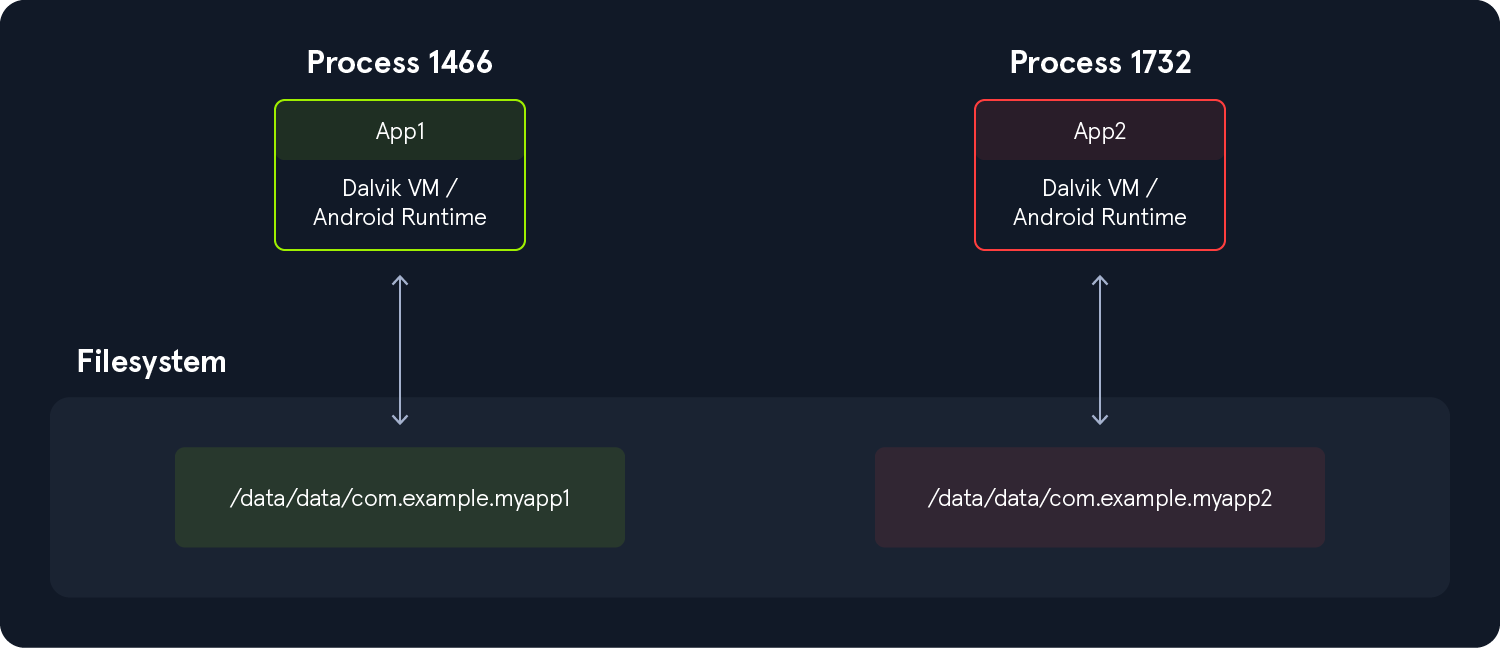
Executing the following command, we can see that all applications have a different UID.
Android Shell:
root:/# ls -l /data/data/

<SNIP>
drwx------  4 system         system         4096 2022-12-28 11:47 android
drwx------  4 bluetooth      bluetooth      4096 2022-12-28 11:47 com.android.bluetooth
drwx------  5 radio          radio          4096 2022-12-28 11:48 com.android.ons
drwx------  5 shell          shell          4096 2022-12-28 11:49 com.android.shell
drwx------ 11 u0_a114        u0_a114        4096 2022-12-30 12:41 com.android.chrome
drwx------  5 u0_a119        u0_a119        4096 2022-12-28 11:49 com.android.camera2
Core Security Protections
Android strengthens isolation using multiple security mechanisms:
- SELinux (Mandatory Access Control) – Enforces strict system-level policies
- seccomp-bpf filters – Restrict allowed system calls
- App isolation per user profile – Separates environments across users
- Least privilege model – Apps must explicitly request permissions
- Restricted file access – Sensitive paths like /sdcard/DCIM are controlled
Each app operates within its own restricted environment, making privilege escalation difficult without exploiting the kernel.
Application Signing
All Android apps must be digitally signed before installation. This ensures integrity and prevents tampering.
- v1 (JAR signing) – Legacy, weaker protection
- v2 (Android 7+) – Verifies APK contents, prevents modification attacks
- v3 (Android 9+) – Adds metadata and stronger validation
- v4 (Android 11+) – Uses Merkle tree-based verification for full integrity
Older v1-only signing is vulnerable to attacks like Janus (CVE-2017-13156), where malicious code can be injected into APKs.
APK Signing Process
Typical steps:
- Generate signing key (
keytool) - Optimize APK (
zipalign) - Sign APK (
apksigner) - Install or distribute signed APK
Verified Boot
Verified Boot ensures Android’s system integrity during startup:
- Each boot stage verifies the next using cryptographic signatures
- Detects tampering in system partitions
- Prevents modified or malicious OS images from booting
- Includes rollback protection to stop downgrades to vulnerable versions
If verification fails, the device either blocks boot or warns the user about system tampering.