Gogs Authentication Bypass to RCE
This vulnerability affects default installations where user registration is enabled and is not limited to Gogs alone — Gitea is impacted by the same underlying issue.
The attack is not a single bug exploit. Instead, it is a multi-step chain that demonstrates how weak session handling, file upload functionality, and powerful administrative features can be abused together. The full compromise happens in two main stages:
- Bypassing authentication to impersonate the administrator
- Abusing Git hooks to execute arbitrary commands on the server
Root Cause
File-Based Session Management
Gogs relies on the Macaron framework for session handling. Instead of storing sessions in memory or a database, Macaron maps each session identifier to a file on disk.
When a client sends a request, the session cookie (i_like_gogits) is read and used to construct a filesystem path:
BASE_PATH + SESSION_ID
If the file exists and can be parsed, its contents are trusted and used to restore the user’s session, including authentication details such as the user ID and username.
This approach introduces a critical assumption: that the session identifier is safe to use as part of a filesystem path.
Directory Traversal in Session Resolution
The session identifier is taken directly from user-controlled input and concatenated into a file path without sanitization. This allows an attacker to inject directory traversal sequences.
For example, setting the cookie value to:
../../../../../../etc/passwd
causes Gogs to attempt to read /etc/passwd as a session file. While this file cannot be parsed correctly, the resulting error confirms that arbitrary files can be accessed.
This vulnerability effectively turns session loading into an arbitrary file read primitive.
Trusting Unsigned Serialized Session Data
Session files in Gogs are serialized using Go’s gob encoding. The serialized object contains authentication information such as:
uid(user ID)uname(username)
Crucially, this serialized data is not protected by any integrity mechanism. There is no signature, no HMAC, and no validation of origin. If a file contains valid gob-encoded data, Gogs will deserialize it and fully trust the contents.
This means that if an attacker can place a valid session file on disk, they can forge authentication state, including impersonating the administrator.
Exploitation
Generating a Malicious Session File to bypass Auth
To bypass authentication, the attacker must create a session file that declares them as the administrator. This requires understanding how Gogs encodes session data.
By reviewing the source code, the following files are particularly relevant:
session/utils.go– session encoding logicmodels/user.go– data types for user ID and usernameroutes/user/auth.go– values stored in the session
First we can get gogs in our own system using docker:
…/Green/GOGS ✗ docker run -Pit -v `pwd`:/hack gogs/gogs:0.11.66 /bin/bash
Unable to find image 'gogs/gogs:0.11.66' locally
0.11.66: Pulling from gogs/gogs
..snip..
Status: Downloaded newer image for gogs/gogs:0.11.66
usermod: no changes
bash-4.4#

### After that, visit 0.0.0.0:32769 (or wherever its hosted).
# - Use SQLite3 as database.
# - Make sure to fix the application URL too.
# - Disable captcha
# - Create a administrator account.
# - Restart container, then we will see file /data/gogs/data/sessions
We can find a session file for administrator inside of /data/gogs/data/sessions:
bash-4.4# find . -type f
./f/c/fc471af39305b9a3 ## This should be equal to Cookie Value

## We can copy this to our main system
bash-4.4# cp ./f/c/fc471af39305b9a3 /hack ## Since we mapped :D
Now we can register an account to our target application and create an repo. Then we can push the session file we extracted using the user we created.
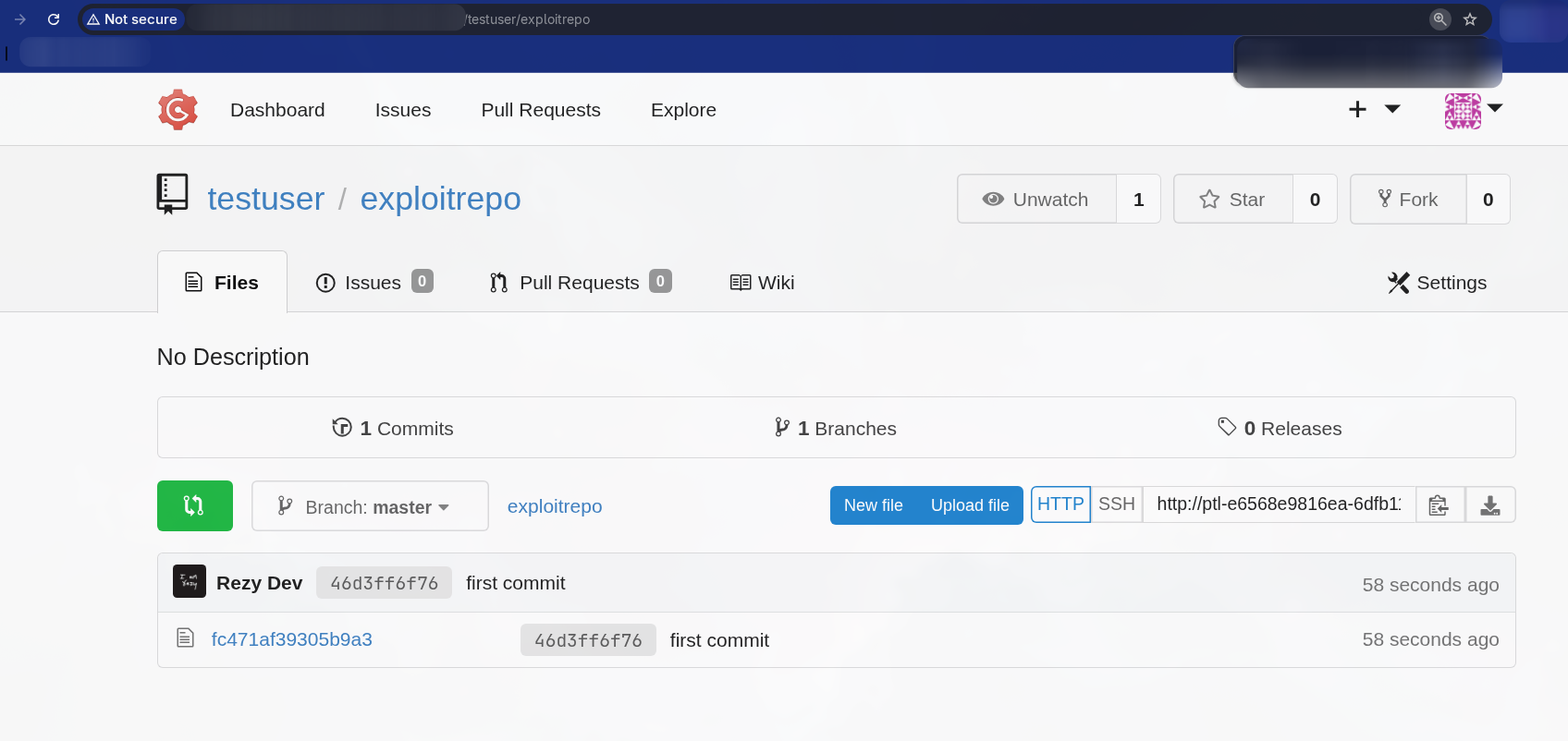
Then we can create a test file, then change the cookie to:
i_like_gogits=../tmp/local-repo/1/fc471af39305b9a3
Then we will notice we are logged in as administrator.
RCE
For RCE, we can go to Repository Settings > Git Hooks > Edit Pre-recieve and add custom bash command to execute.
Then clone the repo and push the new changes.
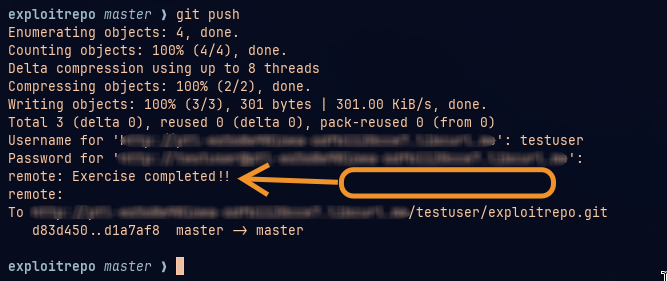
Our command gets executed and is shown in git push result.
In our case it was pentesterlab's score command, else we could use Reverse Shell too.